Gego-K12DocumentationDocumentation
GitHubGitHub (opens in a new tab)
  • Introduction
  • Getting started
  • List of Modules
  • Core Modules
    • Settings
    • Holiday Management
    • Leave Master
    • Staff Management
    • Class Management
    • Subject Management
    • Student Management
    • Attendance Management
    • Homework Management
    • Communication Management
    • Lesson Management
    • Id Card and Bus pass
    • Dashboard & Reports
    • Library Management
    • Account Management
    • Event & Calender
    • Notice Board
    • Media File Management
    • Dicipline Record
    • Telephone Directory
    • Class Wall Management
    • Promotion Management
    • Admission Management
    • Activity Log
    • Reception Management
  • Add on Modules
    • Exam Module
    • Fee Module
    • Alumni Module
    • Video Room Module
    • Transport Module
    • Quiz Module
    • Inventory Module
    • Chat Module
    • Certificate Module
  • Mobile app
    • Parent App
    • Teacher App
Question? Give us feedback → (opens in a new tab)Edit this page on GitHub
Documentation
Core Modules
Telephone Directory

Telephone Directory Management
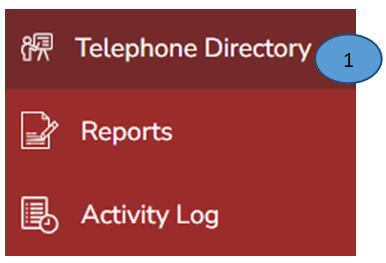
Screenshot

  1. Click Telephone Directory on the left pane

Screenshot

  1. Click Add phone number tab from the right top corner
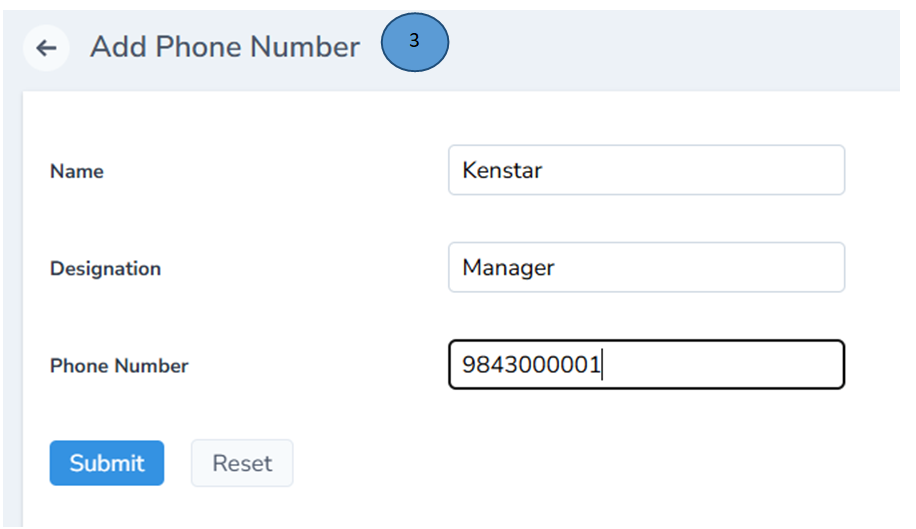
Screenshot

  1. A new from will open, record all the details in the form and click submit.

Note: You can also Reset the same if there are any deletions
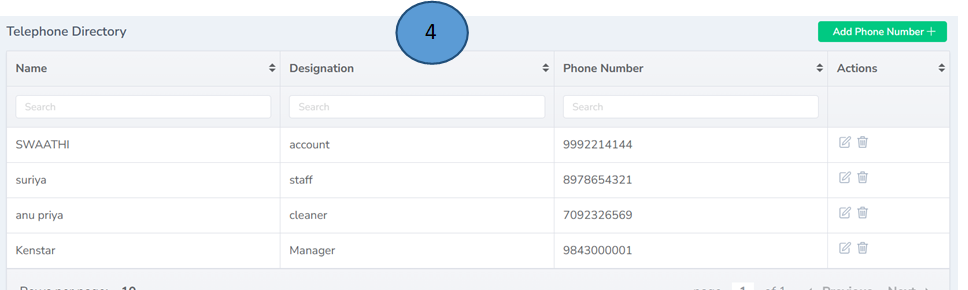
Screenshot

  1. New phone number with all the details will be listed down in the digital telephone directory. The same can be used anytime and from anywhere.

Note: Editing and deleting is also possible from the Actions tab

Dicipline RecordClass Wall Management